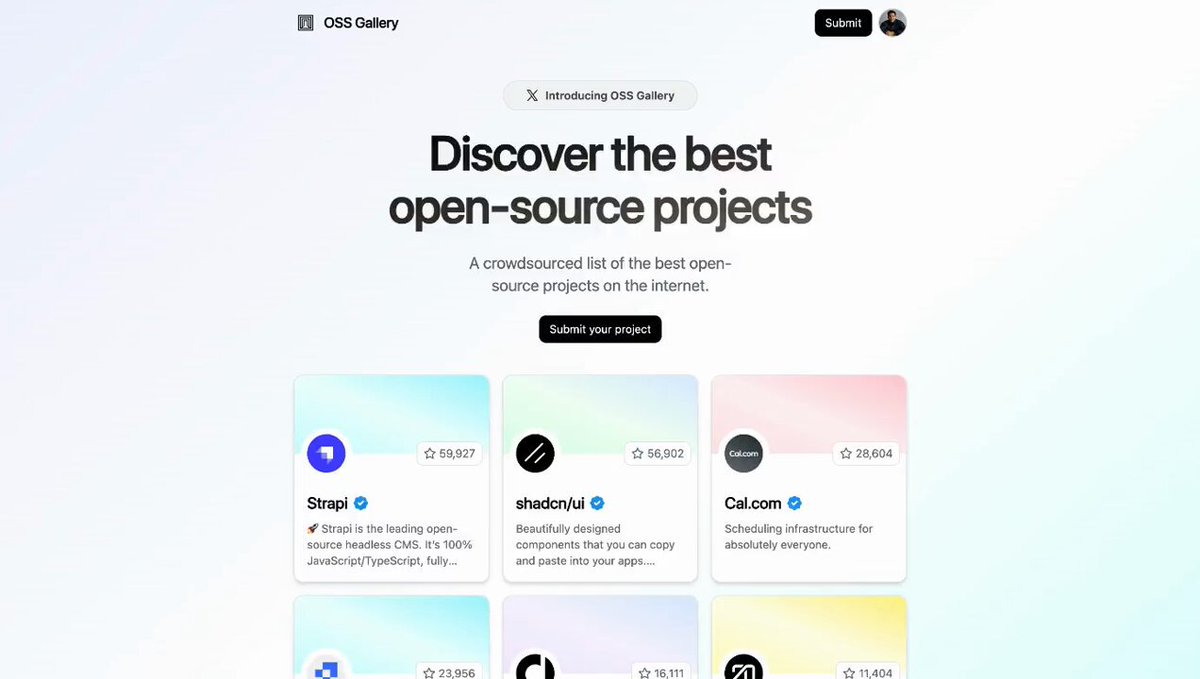
Product discovery platforms like Product Hunt and Betalist have become popular destinations for tech enthusiasts to discover new tools and resources. Every day, thousands of new products are submitted to these platforms, which in turn generates millions of outbound clicks to the products' websites.
Usually, these platforms rely on product analytics tools like Segment, Amplitude, or Mixpanel to track these clicks and other user interactions. However, there are several limitations with these tools:
- Latency: These tools are more suited for generating data reports for internal use and are not optimized for user-facing analytics. As a result, their APIs have painstakingly slow response times.
- No real-time support: Most analytics tools have a delay of a few minutes to a few hours before the data is available via their API.
- Poor DX: These tools are generally not developer friendly – poor documentation, little to no code samples, and lack of support for modern frameworks like React or TypeScript.
In this article, we'll show you how you can leverage Pearset's API to integrate real-time user-facing analytics into your products – using OSS Gallery as a real-world example.
What is OSS Gallery?
OSS Gallery is a crowdsourced list of the best open-source projects on the web. It's a platform for you to discover new open-source tools, libraries, and resources that can help you build better software.
We built OSS Gallery to showcase the capabilities of Pearset's API for building real-time user-facing analytics. With Pearset's API, we were able to track outgoing clicks from OSS Gallery to a project's GitHub repository + website and display those clicks in real-time on the project page.
Here's an example of how this works on our very own OSS Gallery page:
As you can see, clicks to our website are tracked and displayed in real-time in a nice time-series chart. This provides users with instant feedback on the popularity of a project and helps developers understand how their projects are being discovered.
How we built OSS Gallery
Here's a high-level overview of the tech stack we used:
- Pearset's TypeScript SDK: Link creation, click tracking, and real-time analytics.
- Tremor: Beautiful time-series charts
- Next.js: Server Actions + Form Actions (zero API routes)
- Vercel: Serverless Postgres + Deployment
The codebase is fully open-source as well – feel free to take a look at our implementation:
Prefer using a REST API instead? Check out the Pearset API reference for more information.
Part 1: Get your Pearset API key
To get started, you'll need to sign up for a Pearset account and create a workspace.
Then, generate a Pearset API key and save it in your .env file as DUB_API_KEY.
Part 2: Programmatically creating and editing links
With your Pearset API key, you can now start creating and editing links programmatically via the Pearset API. Here's a simple example using Pearset's TypeScript SDK:
You can view the full code snippet above on GitHub.
You might've noticed that we're passing an externalId to the pearset.links.create method. This is a unique identifier that you can use to associate the generated short link with an entity inside your database – in our case, a project's link on OSS Gallery.
By setting the externalId, we can then easily update the link or retrieve analytics for it (more on this in Part 3).
Let's take a look at how we can edit the link using the pearset.links.update method:
As you can see here, we are passing the link's unique ID from our database as the external ID to the pearset.links.update method. This allows us to update the link's URL whenever the user updates it in their project settings.
When passing the external ID to the pearset.links.update method, make sure to
prefix it with ext_ to signify that it's an external ID.
Part 3: Tracking clicks and displaying real-time analytics
Now that we've created and edited links programmatically, the next step is to track clicks and display real-time analytics on the project page.
Thanks to the Pearset API, all clicks to the short link are automatically tracked and stored in Pearset's database. All we need to do is retrieve these analytics using the pearset.analytics.retrieve method:
Then, we can use a library like Tremor to display the analytics in a beautiful time-series chart:
You can view the full code snippet above on GitHub.
To learn more about Pearset's Analytics API, you can check out the API reference or the SDK docs.
And that's it! With just a few lines of code, we've integrated real-time user-facing analytics into our product discovery platform, providing valuable insights to the project creators on how their projects are being discovered.
Start building with the Pearset API
We hope this article has inspired you to start building real-time analytics experiences with the Pearset API. Whether you're building a product discovery platform like OSS Gallery or a simple link shortening service, Pearset's API can help you track clicks and display real-time analytics with ease.
Not sure where to start? Check out our TypeScript SDK docs and API reference to get started. We've also created a lightweight example project – affectionately dubbed dublet – to help you get up and running quickly:
Have any questions? Feel free to reach out to us or tweet at us – we'd love to help!